Part No. U4600P1 - Case 6-121109-80015 - Engineering Change Notice
Description of Change:
Back Box Design and I/O Port Relocation for 46" Portrait LCD Monitor (Model: U4600P1).
Impact on Product:
- Outer Dimensions: No change.
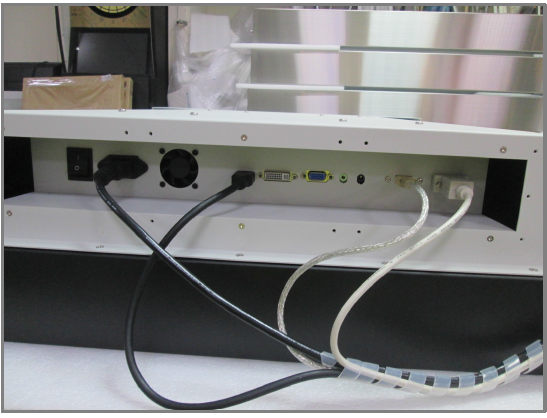
- I/O Port: Relocated at the bottom.
- Performance: Improved rain and water resistance.
Reason for Change:
The updated version of the U4600P1 now features bottom I/O cable entry instead of the previous side configuration. This change was made intentionally to improve rain and water resistance, especially for outdoor deployments. The new design provides better environmental sealing and is more suitable for long-term weather exposure.
Issue:
The back box is different, the connectors on the previous units were on the side panel, but this unit has them on the bottom.
Solution:
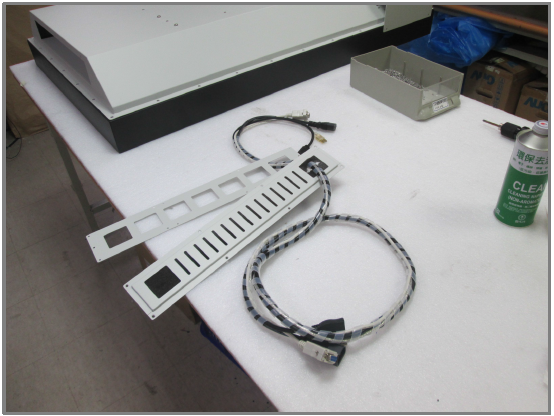
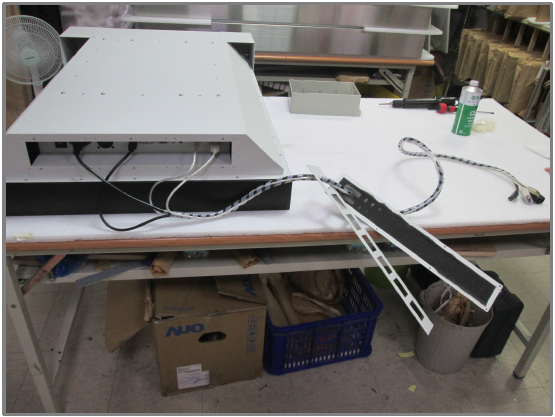
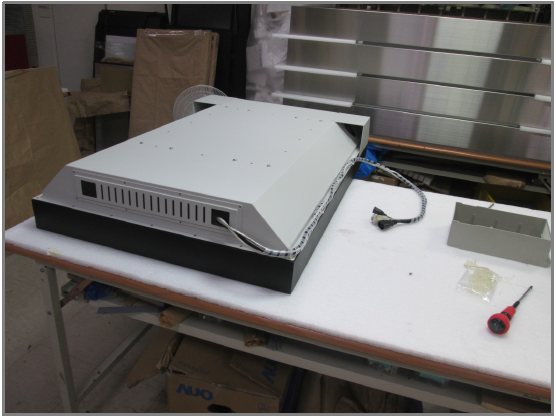
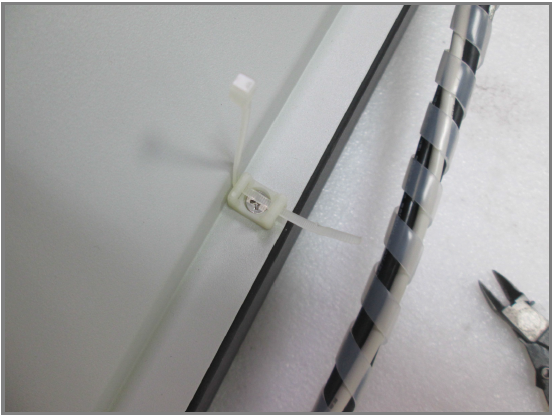
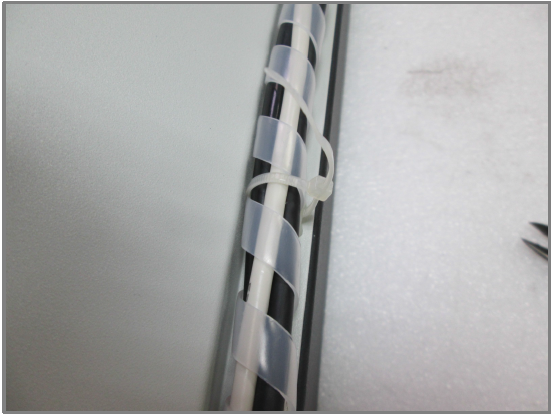
The best solution would be to use longer Power, HDMI, and USB cables that can be rerouted from the bottom I/O to the side. There are screw holes on the side of the unit where you can use cable ties to secure and organize the extra cable length. Once tied, the cables will stay in a clean, fixed location—so you won’t need to reposition or reroute them each time you swap out the unit.
The cables are 6ft (=180cm ) long.
Our forecast outside length is about 90cm (=150mm+750mm) so our cables’ length is enough to supply it.
We will send you the cables will be list below:
- Power cord
- HDMI cable
- USB cable
- RS232 cable for RS232 remote control use
- Cable tie
- Plastic fastener
Cable Rerouting:
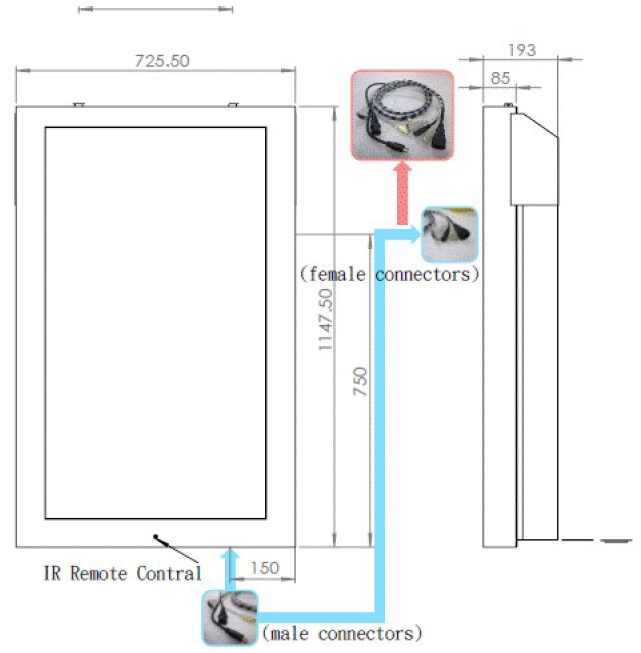
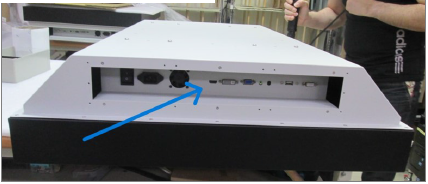
I/O New Location:
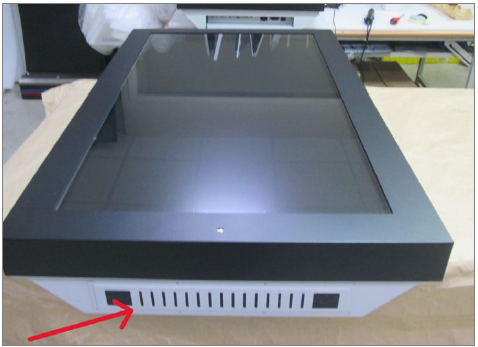
Bottom Filter / IP54 Outside:
Cable Rerouting Step by Step:
1.
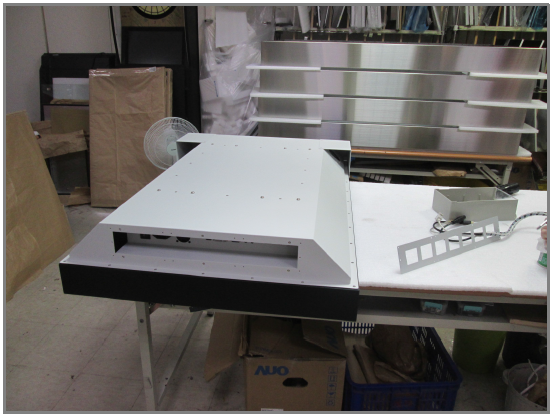
1.
2.
3.
4.
5.
6.
7.
8.
Related Articles
Part No. ECHW2700B-SIP-P-K - Case 6-120767-78541 - Question: How to remove Back Panel?
Step 1: Tool : hard plastic sheet, knife, screw driver. Step 2: Loosed the stainless screws ( red marked ) and removed the rearing enclosure carefully. Step 3: We want to check panel’s left / right side fixtures ( blue marked ). Need your help to ...Part No. NVP117-S801e - Case-6-OW-103662-78353 - Question: How to remove and change internal Power Adapter?
“Before your work, please make sure that the power is disconnected.” Step 1: Remove the top rear kit cover. 7 screws on the top, 4 screws on each side. Step 2: After cover removed, cut off the cable tie and disconnect the power adapter. Then replace ...Part No. AMAR1900HB-TR - Case 6-OW-120877-78840 - Question: How to change from AC to DC
Step 1. Remove screw x 14 to open back cover. Step 2. Remove 5 components but keep all the connections. Step 3. Remove screw x 4 to remove this bracket. Step 4. Attached the new bracket. Step 5. Attach copper stud x 4 and stable DC9~36V power module. ...Part No.: DRP4W2150A-HB-HDMI - Case: 75864 - Question: Deployment Configuration?
Model: DRP4W2150A-HB-HDMI Rugged 4U 26" Deep 21.5" Quad Display Drawer Platform: Hydra Series Frame: 26" Deep LCD(s): (215HBx4) 4x21.5" FHD (1920x1080) LED Backlit High Bright Panels to 1500Nits Controller(s): aRGB/VGA, HDMI, Display Port Front: 4U ...Part No. NVP117e - Case 6-120748-78317 - How to remove and change the rear kit on NVP117e (Upgrade from AC to 12V DC Power)
Before your work, please make sure that the power is disconnected. Step 1: Remove the top rear cover behind the LCD panel. Step 2: Remove the small top cover behind the LCD panel. Step 3: Unplug four connectors from the original unit as shown below, ...